Task tracking for agents.
Trekker turns agent work into persistent project state that Claude Code, Codex, or any other tool can search, update, and resume. Keep tasks, dependencies, and notes next to the code instead of inside chat history.


How agents use it
Trekker gives coding agents a small, explicit system for tracking what they are doing. The state lives in the repository, so an agent can search it, continue from it, and update it without depending on temporary chat memory.
- Install Trekker and initialize the repository with
trekker init. - Teach the agent to search current Trekker state before starting work.
- Let the agent update status and write completion notes back into Trekker.
- Resume from tracked state in the next session instead of reconstructing context from chat.
Install
Prerequisites
You need the Bun runtime. Trekker uses bun:sqlite for database operations. This makes every command respond instantly.
macOS/Linux
curl -fsSL https://bun.sh/install | bashWindows
powershell -c "irm bun.sh/install.ps1 | iex"Via npm
npm install -g bunInstallation
Using bun (recommended)
bun install -g @obsfx/trekkerUsing npm
npm install -g @obsfx/trekkerInitialize the repo
trekker initFeatures
The product is deliberately narrow. It is a local task system for agents, not a hosted project management platform.
- Local SQLite-backed state inside
.trekker. - Tasks, epics, subtasks, comments, and dependencies.
- Full-text search and history for context recovery.
- Structured
--toonoutput for agent-friendly parsing. - A separate dashboard package when you want a visual board.
Agents
Claude Code
The Claude Code plugin adds Trekker tools, slash commands, skills, and lifecycle hooks so tracked state survives across sessions and subagent work.
claude plugin marketplace add obsfx/trekker-claude-codeclaude plugin install trekkerCommon commands: /trekker:prime, /trekker:ready, /trekker:start, /trekker:done, /trekker:task-agent.
Codex
The Codex plugin brings the same persistent task model into Codex with bundled Trekker tools and workflow skills.
git clone [email protected]:obsfx/trekker-codex.git ~/plugins/trekker-codexCore skills: trekker, planning, search, task-sync, issue-tracking, complete-task.
Commands
Typical task flow inside a repository:
trekker epic create -t "Agent UX polish"trekker task create -t "Tighten page typography" -e EPIC-1trekker task update TREK-1 -s in_progresstrekker comment add TREK-1 -a "agent" -c "Adjusted hero layout to match the reference"trekker task update TREK-1 -s completedSearch and history stay available when the next session needs to reconstruct context:
trekker search "typography"trekker history --entity TREK-1trekker --toon task show TREK-1Dashboard
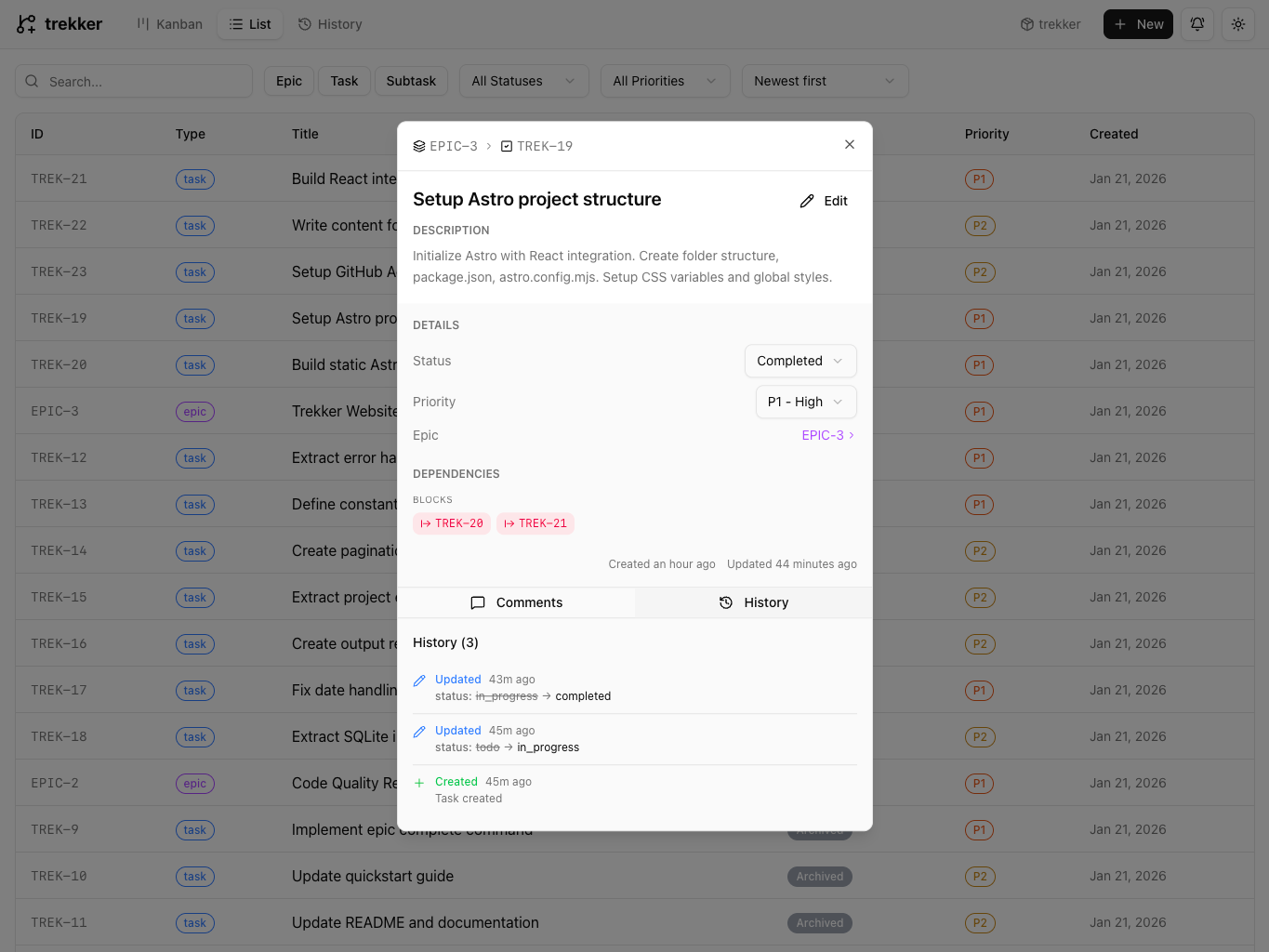
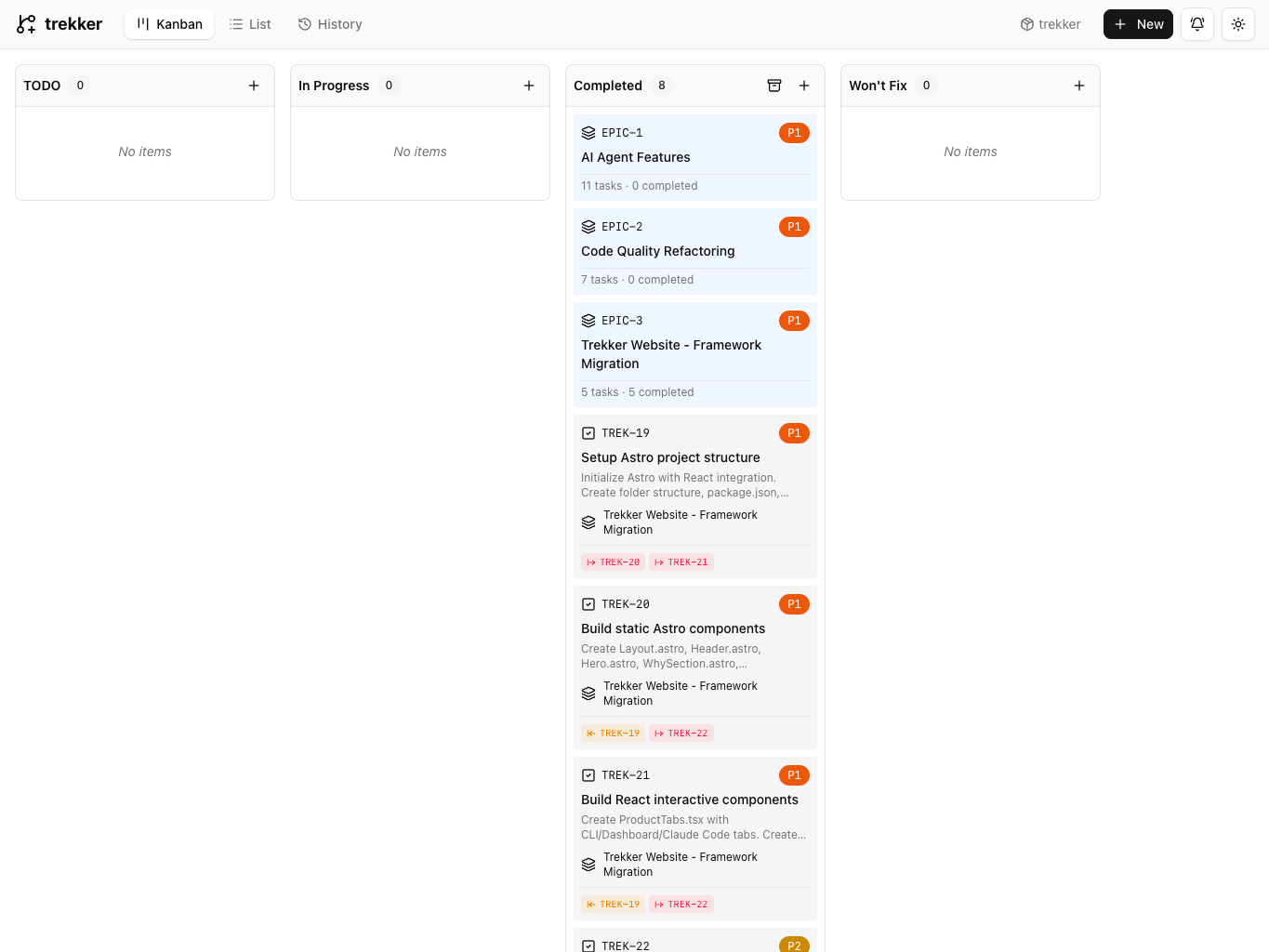
When you want a visual board, the dashboard package reads the same local database and renders the current task flow.
npm install -g @obsfx/trekker-dashboardtrekker-dashboard -p 3000